How to Set Up CV Parsing with OpenAI in Salesforce
Why Bother with Automated CV Processing?
So here's the deal - if you're working on a project where candidates submit CVs through a website form, you know how tedious it gets. Someone has to open each file, copy-paste info into Salesforce, make sure nothing's misspelled. It's just boring manual work. We recently set up an integration with OpenAI that handles all this automatically, and honestly, it's been a game changer. Let’s walk you through what was done and why it might be worth trying for your org, too.
The Problem We Had
Our recruitment team was drowning in CVs. Every time someone applied through the website, they'd have to download the file, read through it, and manually enter everything into Salesforce. Skills, experience, education - all of it typed in by hand. Not only was it slow, but you can imagine the mistakes that happened. Plus, when you have 50+ applications for one position, it becomes a full-time job just doing data entry.
What We Built
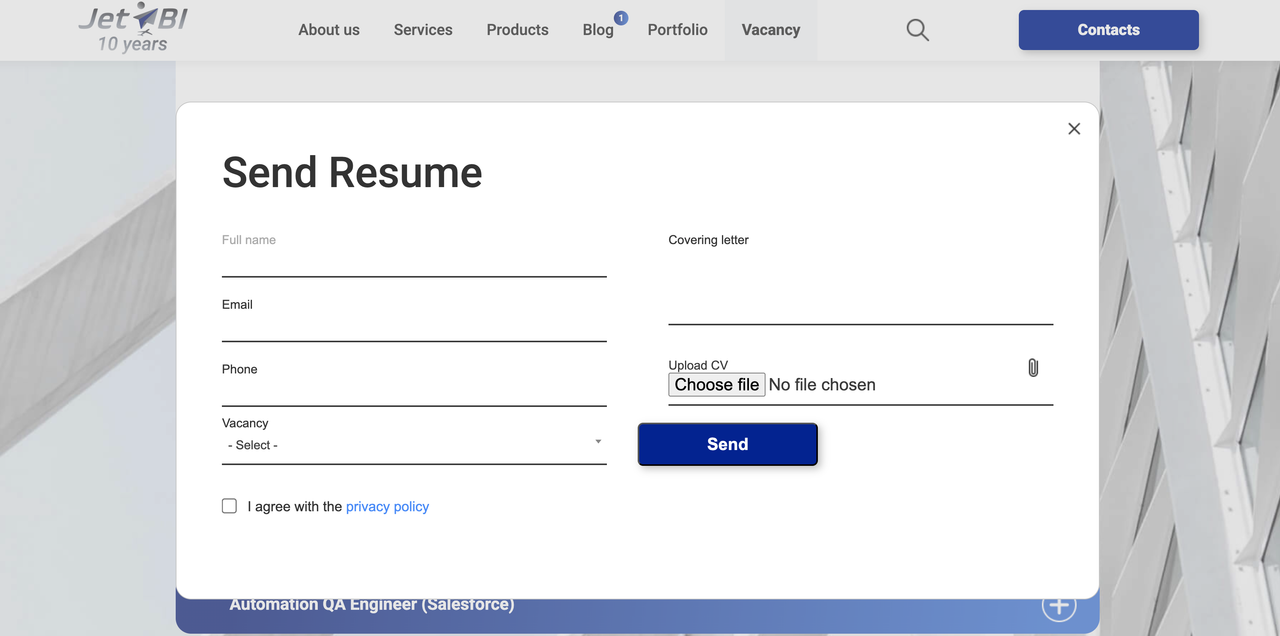
The solution was pretty straightforward - connect the website form to Salesforce (using a Web Service), and then have OpenAI read the CV file and extract the important stuff. Here's what happens now:
- Candidate fills out the form and uploads their CV
- Data gets sent to Salesforce automatically via API
- CV file goes to OpenAI for parsing
- OpenAI sends back structured data (name, skills, experience, etc.)
- Everything gets saved in the Contact record - done!
The whole thing takes maybe 10-15 seconds from when they hit submit to when we have a fully populated record in Salesforce. Pretty cool, right?
What Changed After Implementation
To be honest, setting this up took some time upfront. But once it was running, the benefits were immediate:
- Recruiters stopped complaining about data entry (finally!)
- We could handle way more applications without hiring more people
- Data quality improved - no more typos or missing fields
- Candidates got faster responses because we weren't stuck processing paperwork
- The whole team could focus on actually talking to candidates instead of copying text
How It Works (Without Getting Too Technical)
On the Salesforce side, we created a Web Service using an Apex class. It receives the form data, including the CV file in base64 format. Then there's a Queueable class that sends the file to OpenAI's API and waits for the response.
For OpenAI, you need to set up a Named Credential with your API key (never hardcode those!). We stored all the configuration stuff like which model to use (gpt-4o works great), max tokens, temperature, etc. in a Custom Metadata Type. This way, you can tweak settings without touching code.
The most important part is the prompt - that's where you tell OpenAI what you want extracted and in what format. Our team asked it to return JSON with specific fields that match our Salesforce objects. If you have picklists, make sure to include the valid values in the prompt so OpenAI doesn't make up random stuff that breaks when you try to insert records.
Gotchas and Things We Learned
This isn't a magic solution - there are some quirks you should know about:
Timeout Settings: Large PDF files can take a while to process. We set the HTTP timeout to 120 seconds. If you don't, you'll get timeout errors for bigger CVs.
File Format Issues: PDFs with lots of images or weird layouts sometimes don't parse well. Plain text or DOCX files work best. If a CV fails, we have a fallback process where it just creates the Lead without the parsed data.
Prompt Engineering: Getting the prompt right took a few tries. Be specific about what you want. If results are inconsistent, spend time refining your prompt - it makes a huge difference.
Cost: It's not expensive per request, but it adds up if you're processing thousands of CVs. Keep an eye on your OpenAI usage. We spend maybe $50-100/month depending on hiring activity.
Accuracy: OpenAI is good but not perfect. We can say that it gets things right about 85-90% of the time. For critical positions, someone should still review the parsed data.
Our Configuration Settings
Since people always ask, here's what we used for OpenAI settings:
- Model: gpt-4o (good balance of speed and accuracy)
- Max tokens: 2000 (enough for most CVs)
- Temperature: 0.3 (lower = more consistent, higher = more creative)
- Endpoint: https://api.openai.com/v1/chat/completions
- Role: "user"
Your mileage may vary - play around with these to see what works for your use case.
Is It Worth It?
Honestly? Yes. If you're processing more than a handful of CVs per week, this will save you a ton of time. The initial setup took me maybe 2-3 days (including testing and fixing bugs), but we've easily saved 10+ hours per week since then.
The recruiters love it because they can actually focus on recruiting instead of being data entry clerks. Our response time to candidates improved, which apparently makes a real difference in acceptance rates. And from a technical perspective, it's pretty satisfying to build something that actually gets used and appreciated.
If your org has similar needs, we'd definitely recommend trying it out. Start small - maybe just parse the basic fields at first, then expand once you see it working. The nice thing about using Custom Metadata for configuration is that you can tweak things on the fly without deploying new code.
Final Thoughts
AI tools like OpenAI are making it easier to automate the boring parts of Salesforce development. CV parsing was just one use case - our team has been thinking about other places we could use similar integrations (contract analysis, email classification, etc.).
The technology is there and it's not even that hard to implement once you understand the basics. If you're a Salesforce developer and haven't played around with AI integrations yet, this is a good starter project. The documentation from OpenAI is pretty solid, and there are plenty of examples online.
Feel free to adapt this approach to your needs. Every org is different, but the basic pattern of Web Service → Queueable → API callout → process response is pretty universal and can be reused for other integrations too.