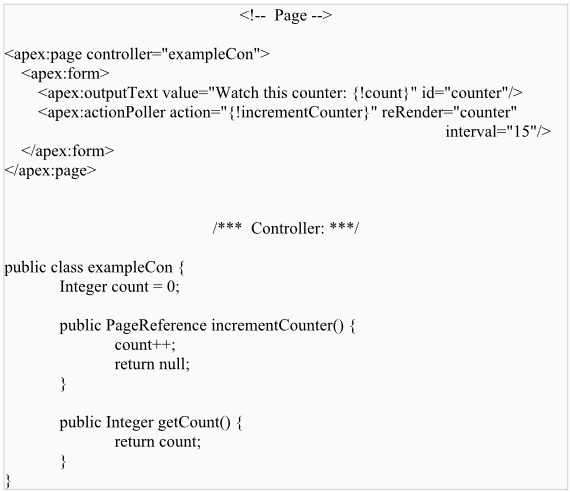
A timer that sends an AJAX request to the server according to the time interval that you specify. Each request can result in a full or partial page update. This component is an alternative to using setInterval (js).
In attribute action some controller method should be put. For this you must use standard syntax, for example, action="{!someAction}". If an action is not specified, the page simply refreshes.
Attributes enabled and rendered have the same function. With the help of them you can turn your actionPoller on or off.
Id is an identifier that allows the component to be referenced by other components in the page.
Attribute interval sets the time interval between AJAX update requests, in seconds. This value must be 5 seconds or greater, and if not specified, it defaults to 60 seconds. Note that the interval is only the amount of time between update requests. Once an update request is sent to the server, it enters a queue and can take additional time to process and display on the client.
Into attribute oncomplete you can put the JavaScript, which will be invoked when the result of an AJAX update request completes on the client.
Into attribute onsubmit you can put the JavaScript, which will be invoked before an AJAX update request has been sent to the server.
In attribute reRender you can put Id of one or more components that will be redrawn, when the result of an AJAX update request returns to the client. This value can be a single ID, a comma-separated list of IDs, or a merge field expression for a list or collection of IDs.
In attribute status you can put Id of an associated component that displays the status of an AJAX update request.
You can use attribute timeout, if you need your request to last no more time than it is required. Value of this attribute should be entered in milliseconds.
It is a good practice to make action methods used by <apex:actionPoller> lightweight, to avoid performing DML and to avoid using this component with enhanced lists. <apex:actionPoller> refreshes the connection regularly, keeping login sessions alive. A page with <apex:actionPoller> on it won't time out due to inactivity.